--Fajr
Before dawn, the moon keeps watch
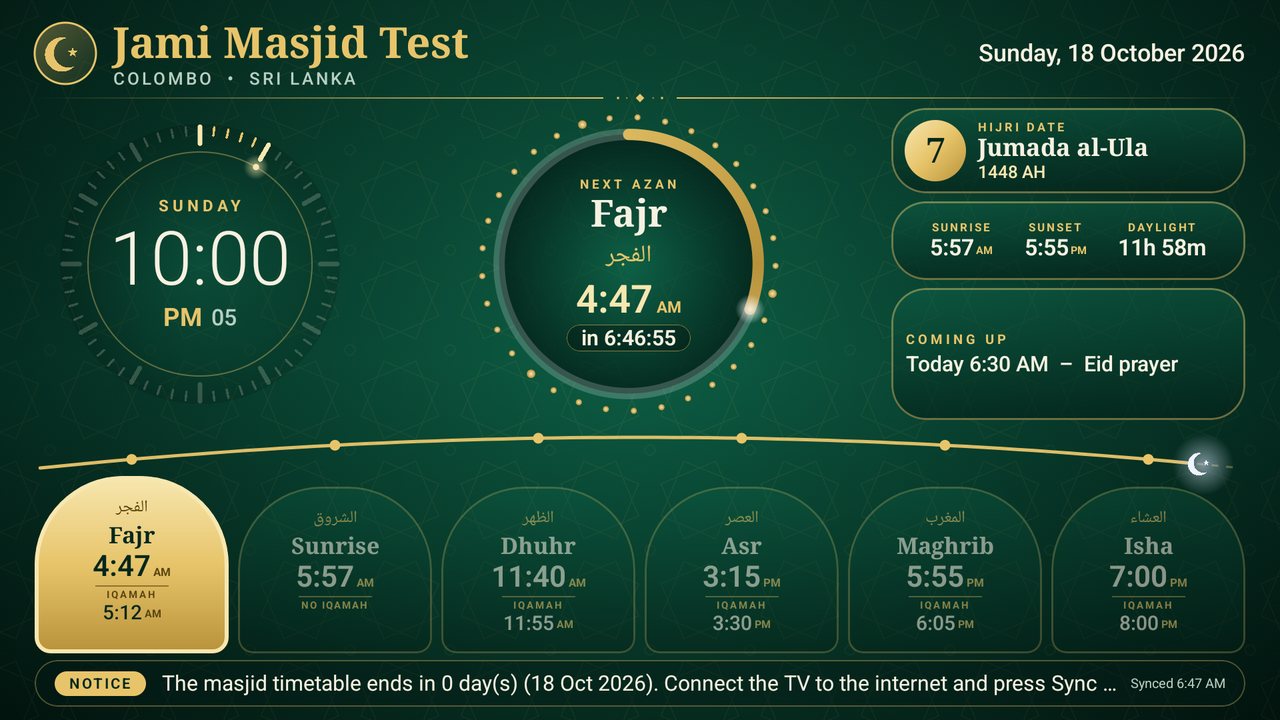
A crescent moon sits on the arc through the night. The next prayer glows gold, and the clock in the centre counts down to Fajr.
Masjid TV is a free Android TV app. It counts down to every Azan and Iqamah, handles Jumu'ah and Ramadan, and keeps running without internet. The TV screen on this page is running live for your city.
Please keep mobile phones silent inside the masjid.
Times are calculated in your browser, the same way the TV app does it. Iqamah gaps here are examples.
Masjid TV is a free software service that turns any Android TV into a masjid prayer-time board. It shows the five daily prayers plus sunrise with Azan and Iqamah times, counts down to the next Azan and to the Iqamah, switches to a calm “prayer in progress” screen during prayer, and shows Jumu'ah, Ramadan (Suhoor, Iftar, Taraweeh), notices and events. It covers 12,900+ cities in 244 countries, runs without internet, and can be managed from a phone.
The screen changes through the day by itself. Scroll to follow one day, using today's times for your city.
A crescent moon sits on the arc through the night. The next prayer glows gold, and the clock in the centre counts down to Fajr.
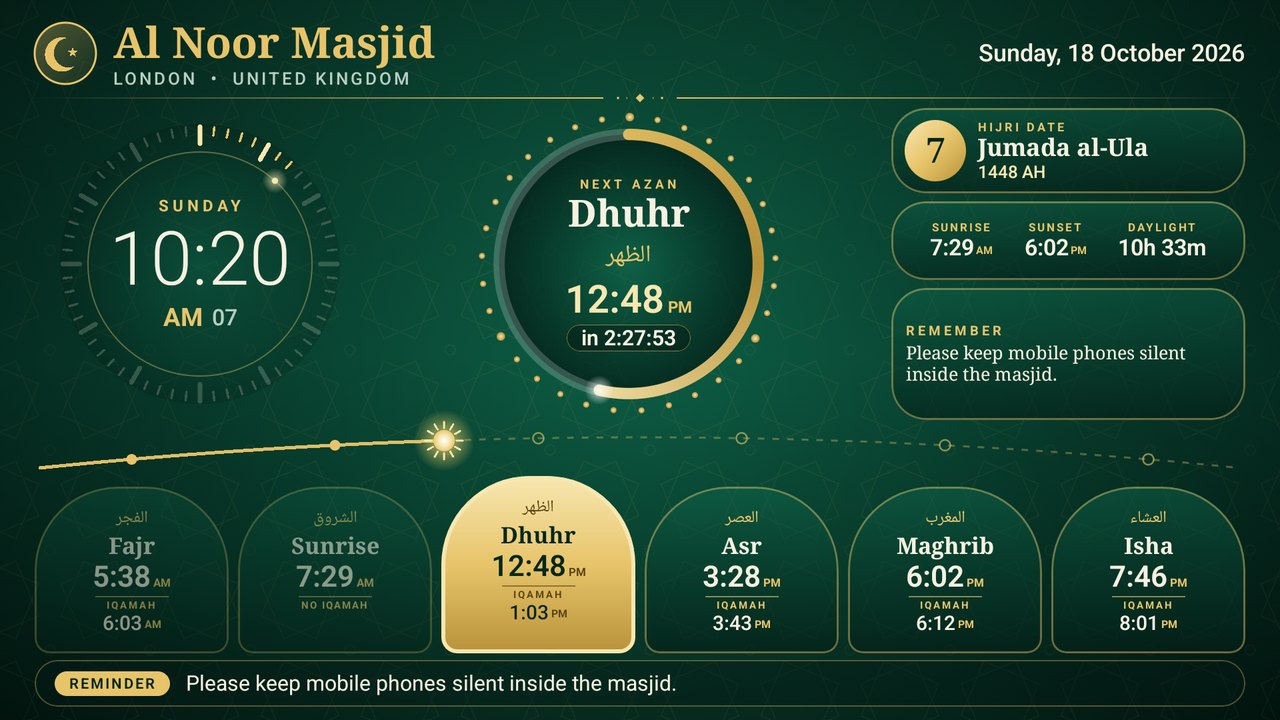
From sunrise on, the sun moves along the arc above the six prayer tiles, so anyone can see at a glance how far the day has gone.
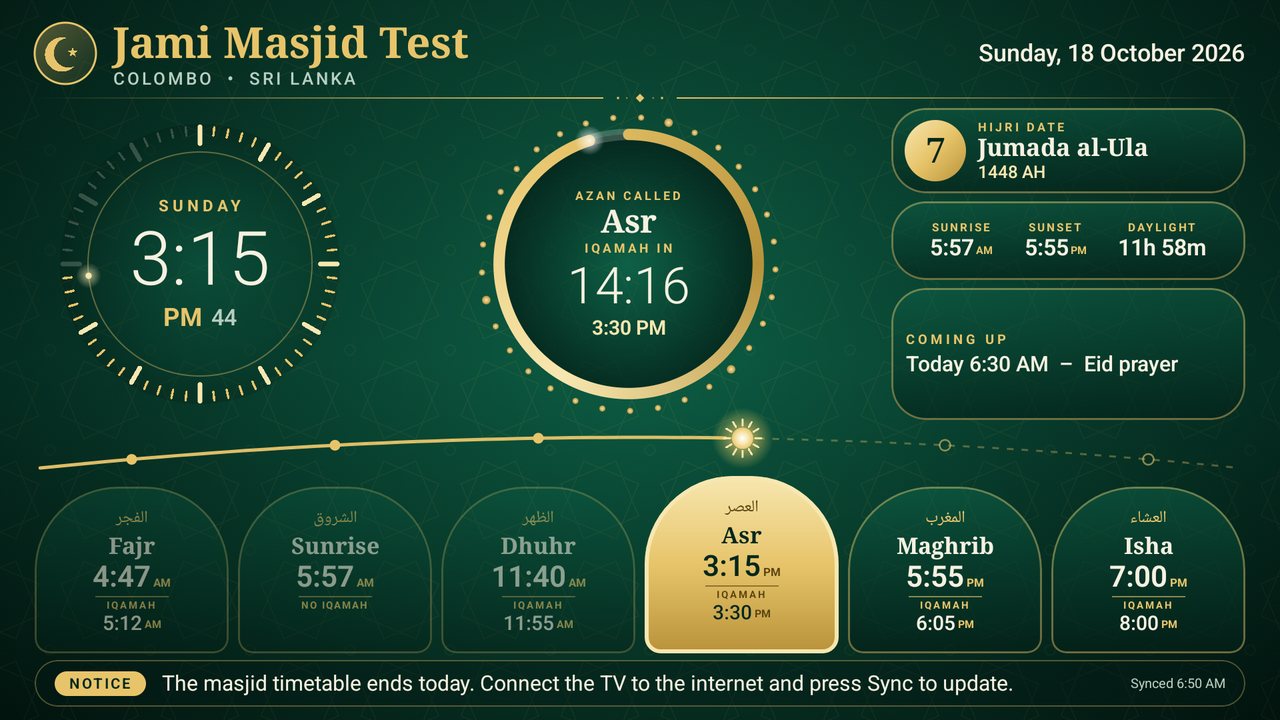
Once the Azan is called, the centre ring counts down to Iqamah. Choose a gold ring, a flip clock or a full-screen count that can be read from the back row.
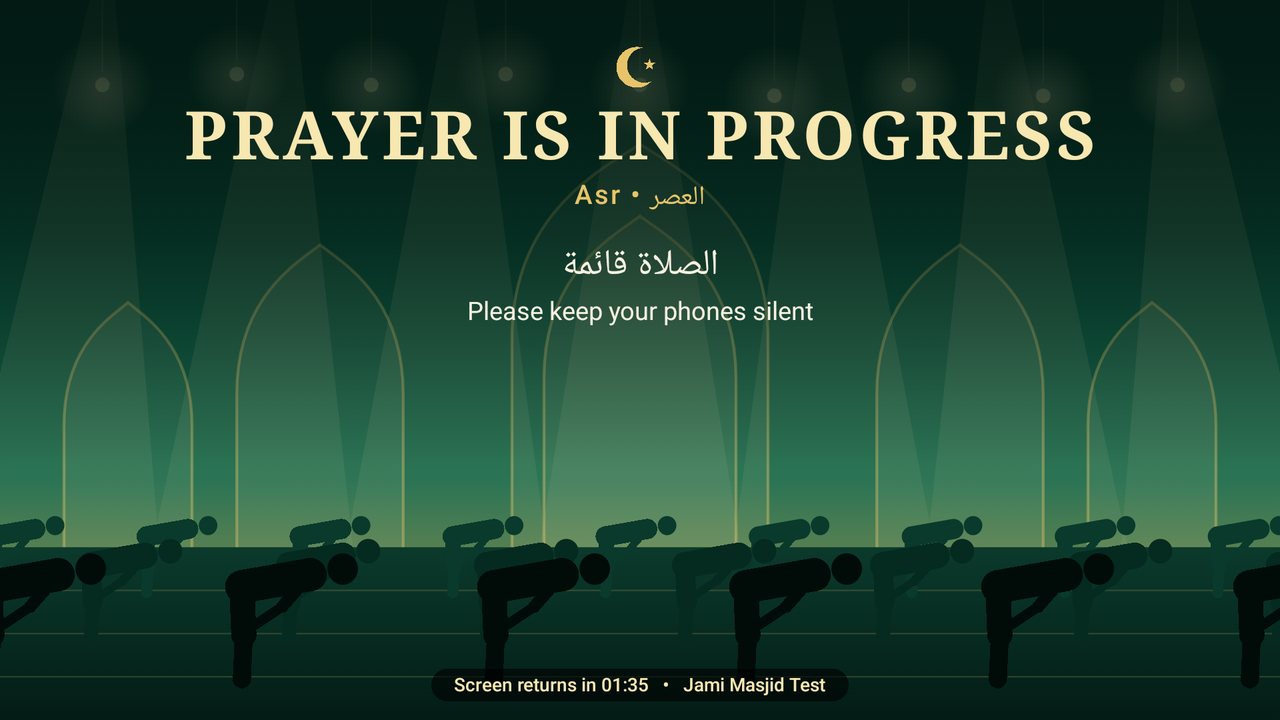
At Iqamah the screen asks everyone to silence phones and straighten the rows, then returns by itself after two minutes, or as long as you choose.
Every Friday, Dhuhr becomes Jumu'ah with its own Azan, Khutbah and prayer time, and a note such as “Khutbah in English and Arabic”.
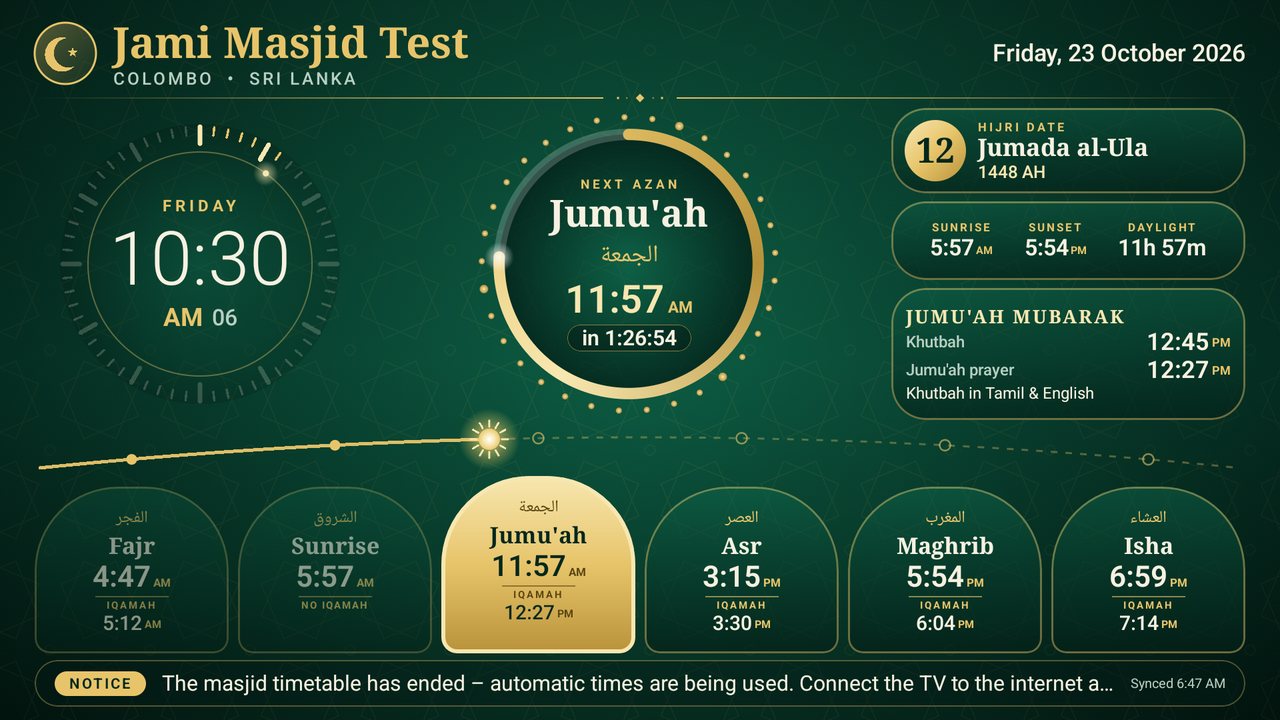
From the Hijri calendar: the day of Ramadan, Suhoor end, Iftar and Taraweeh, and “Time to break the fast” at Maghrib.
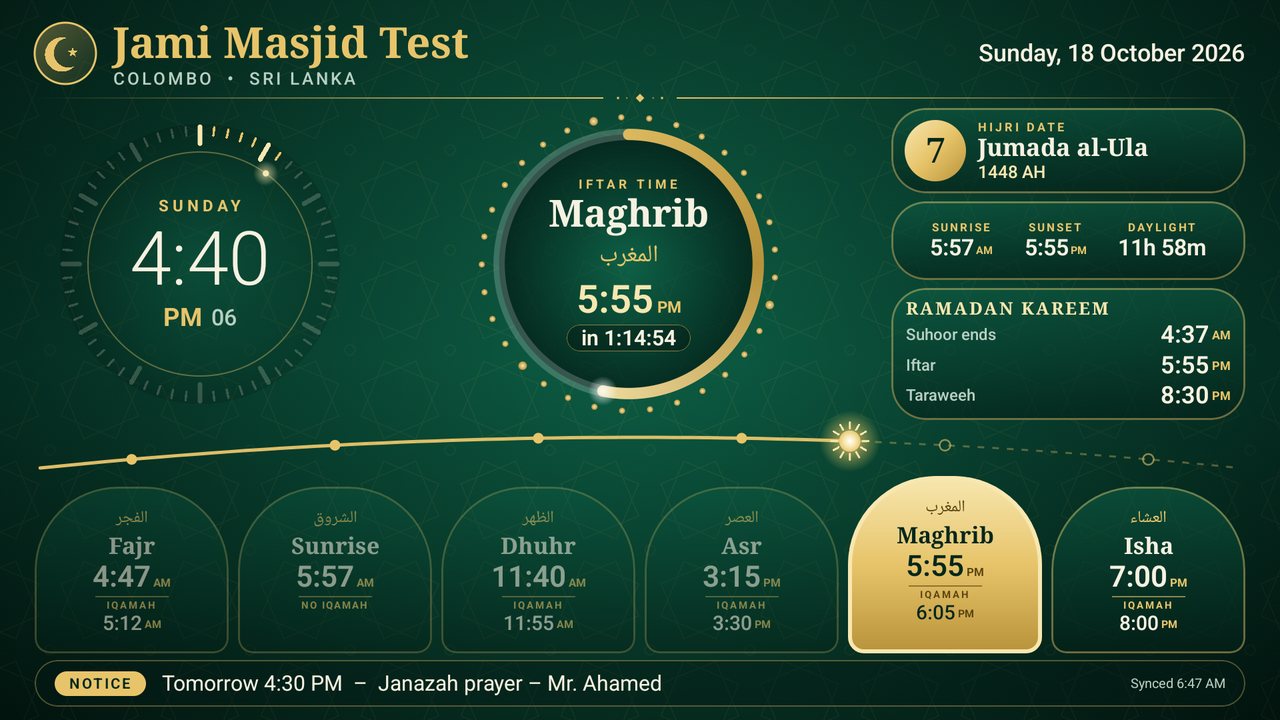
Built around the way masjids really run, and every part of it is free.
No technician needed. If you can install an app, you can do this.
Your email, a password, the masjid name and your city.
Any Android TV, Google TV, Fire TV or TV box. It shows a 6-digit code.
Sign in, tap Add a TV, enter the code. Your times appear on the TV straight away.
Prefer no internet at all? Press OK on the remote and set everything on the TV itself.
There are two versions with the same screens and settings. Which one you need depends only on the Android version of the TV or TV box.
2Press the button for that number.
Android4.4 – 5.1 Classic versionFor older TVs and boxesAlso works on new TVs Download Android6 or newer Standard versionFor TVs and boxes made since 2016Smoothest on new TVs Download“There was a problem parsing the package” means the standard version was put on an older TV. Use the Classic version instead: it works on every TV, old and new, and installs over the app that is already there (your settings stay).
Download the file on a computer, copy it to a USB stick, plug it into the TV and open it in the TV's file manager. The file name says which version it is (…-classic.apk is the Classic one).
Install the free “Downloader” app from the TV's app store and type jiiimu.com/api/download.php. On the TV itself it picks the right version for you.
Once installed, the TV updates itself: press OK on the remote and choose App update.
An Excel or CSV file for your city, ready to print or to load onto Masjid TV in one go.
Calculated the same way the TV app does it.
The timetable of the All Ceylon Jamiyyathul Ulama for each zone, the same every year.
From acju.lk. Zone 3 (Mullaitivu, Kilinochchi, Vavuniya) is not offered yet: ACJU's files for it currently hold the Colombo sheet. ACJU asks to end Suhoor 2 minutes before Fajr.
Use whichever suits your masjid. An Excel file from above works with the first two.
No app to install: the page comes from the TV itself.
Good for masjids without a printed timetable.
A masjid never has to depend on a website. Pick the way that suits you, and mix them whenever you like.
Install the app, press OK on the remote and choose TV settings. No account, no internet, no website, ever.
Create a free account and run the TV from your phone. Changes reach the TV when it syncs. Install this website on your home screen and it opens like an app.
We publish Azan times for cities around the world. Choose Official Azan times and your TV follows them whenever it syncs.
Changes made on the TV and on the web never fight each other: the newest change wins.
Each dot is one of the 12,900+ cities built into the app. Tap anywhere on the map to see today's times there.
Shafi'i or Hanafi Asr, daylight saving from your time zone, and rules for far-north summers.
Real screenshots from the app. Tap a picture to enlarge it.
How a free Azan display compares with the usual ways masjids show prayer times.
| Feature | Masjid TV | Printed timetable | Paid display screens |
|---|---|---|---|
| Cost | Free | Printing each year | Hardware and subscription |
| Live countdown to Azan and Iqamah | Yes | No | Sometimes |
| Change Iqamah in seconds | Phone or TV remote | Reprint | Vendor portal |
| Works without internet | Yes | Yes | Often no |
| Jumu'ah, Ramadan, notices | Built in | Separate posters | Extra cost |
| Runs on a normal TV | Yes (Android TV) | Not needed | Special hardware |
Still stuck? The setup guide walks through every screen.
Masjid TV is a free Android TV app and website that displays Azan and Iqamah times, countdowns, Jumu'ah and Ramadan timings on a mosque's TV screen. It works in any city in the world and can run without internet.
Yes. It is free for every masjid, with no subscription, no ads and no hidden fees.
Every country. The app includes more than 12,900 cities in 244 countries and territories with their time zones and daylight saving, and you can enter any other town by latitude and longitude.
Yes. Azan times are calculated inside the app and every setting can be changed on the TV with the remote. The internet is only needed to link a phone account, to sync changes made on the web, or to download app updates.
Any Android TV or Google TV (Sony, TCL, Xiaomi, Philips and others), Amazon Fire TV, or any Android TV box or stick running Android 6 or newer. Older TVs running Android 4.4 or 5 can use the Classic edition.
With standard astronomical methods (Muslim World League, ISNA, Egyptian, Umm al-Qura, Karachi, Gulf, Kuwait, Qatar, South-East Asia, France UOIF, Russia, Tehran), Shafi'i or Hanafi Asr, and rules for extreme latitudes. A masjid can also nudge any prayer by a few minutes, type its own timetable, or follow the official times.
Yes. For each prayer you can set a fixed gap, for example Asr 15 minutes and Maghrib 10 minutes after Azan, or choose a fixed clock time.
Yes. Save it as an Excel file (.xlsx) or CSV with one row per day: date, Fajr, Sunrise, Dhuhr, Asr, Maghrib and Isha, and Iqamah times if you have them. Import it in your account under Yearly timetable, or send it from a phone through the TV's Phone link with no internet. One file can hold two years or more. Or download a ready year for your city.
Yes. For masjids in Sri Lanka the screen shows Tamil together with English and Arabic everywhere: prayer names, labels, the Iqamah countdown, the prayer screen, and each hadith in English and then in Tamil. Masjids in other countries see English and Arabic. You can change this under Screen language in TV settings, on the phone page or in your account; Tamil works even on old Android 4.4 TVs.
No. Masjid TV is a silent display, so it never competes with the real Azan.
Press OK on the remote, open App update, and choose Download and install. Your saved times and settings are kept.
Yes: up to 10 masjids per account, and any number of TVs per masjid, for example the main hall and the sisters' hall.
It keeps working. Everything is saved on the TV, and the app starts again by itself when the TV is switched on. If a power cut has reset the TV's clock, the screen asks for the correct time instead of showing wrong prayer times.
On the sign-in page choose “Forgot password?” and we will email you a link to choose a new one.
We store only your email, your masjid name, city and settings. No ads, no tracking, nothing sold. See the privacy page.
Create your free account, install the app, and link the TV with a 6-digit code. No credit card.